
Set up the camera
Secure the camera beside the pitch at a suitable height, with a clear view of the playing area.
Dual wide-angle 4K cameras and on-device AI follow the action automatically. No dedicated camera operator, and no subscription for core recording.
Let the camera handle recording and tracking. The same simple setup works for parents, amateur teams and youth academies.
Secure the camera beside the pitch at a suitable height, with a clear view of the playing area.
Connect the camera, choose a sport mode and get ready to record.
The camera follows the action automatically. Watch the full recording after the match.
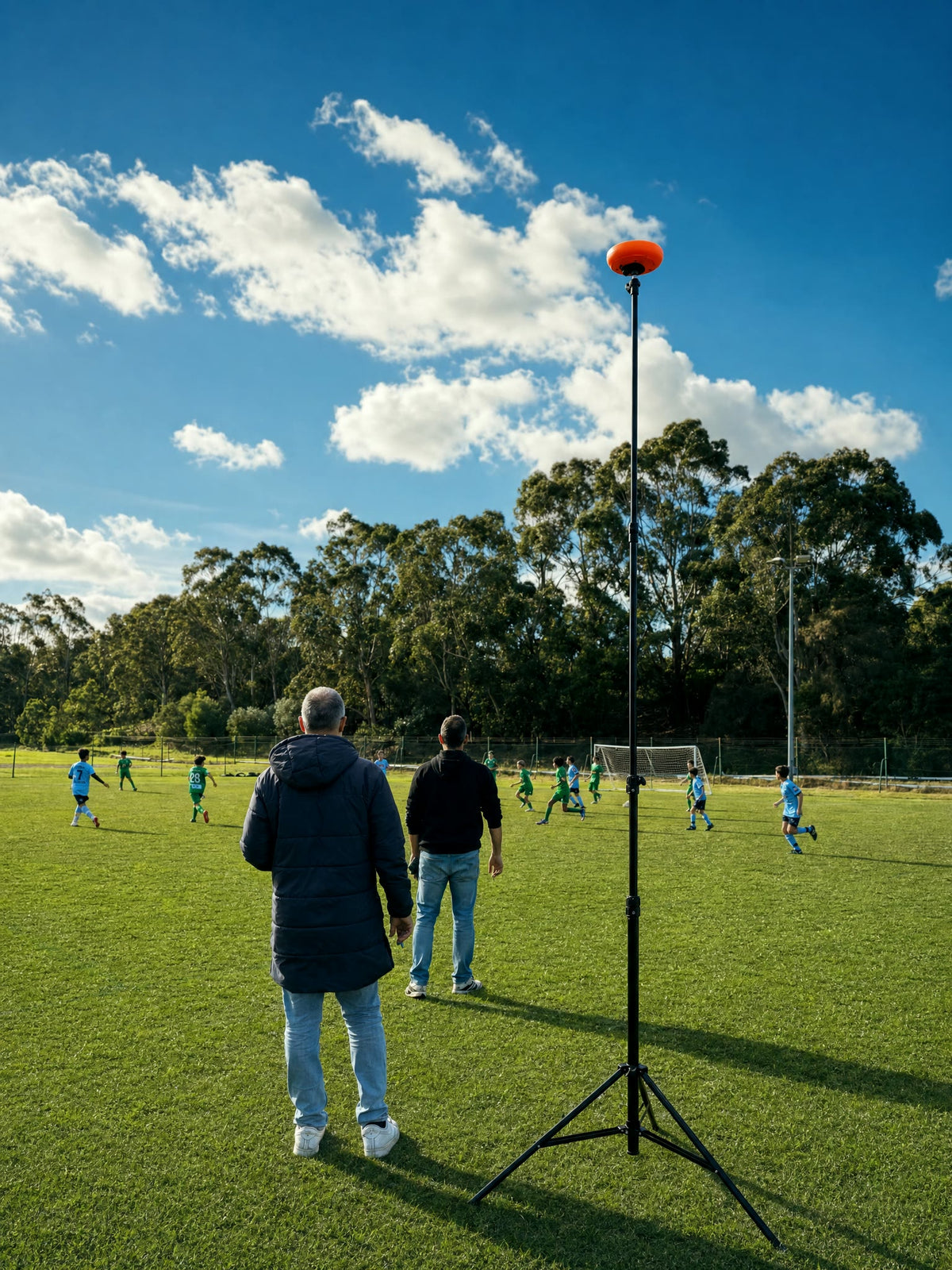
Ballr records automatically from the sidelines, so parents can enjoy the match and coaches can focus on the team. No dedicated camera operator needed.
All footage shown was captured with a Ballr camera, demonstrating real-world performance across different sports venues and weather conditions.
From outdoor pitches to indoor futsal, see real footage recorded with Ballr.
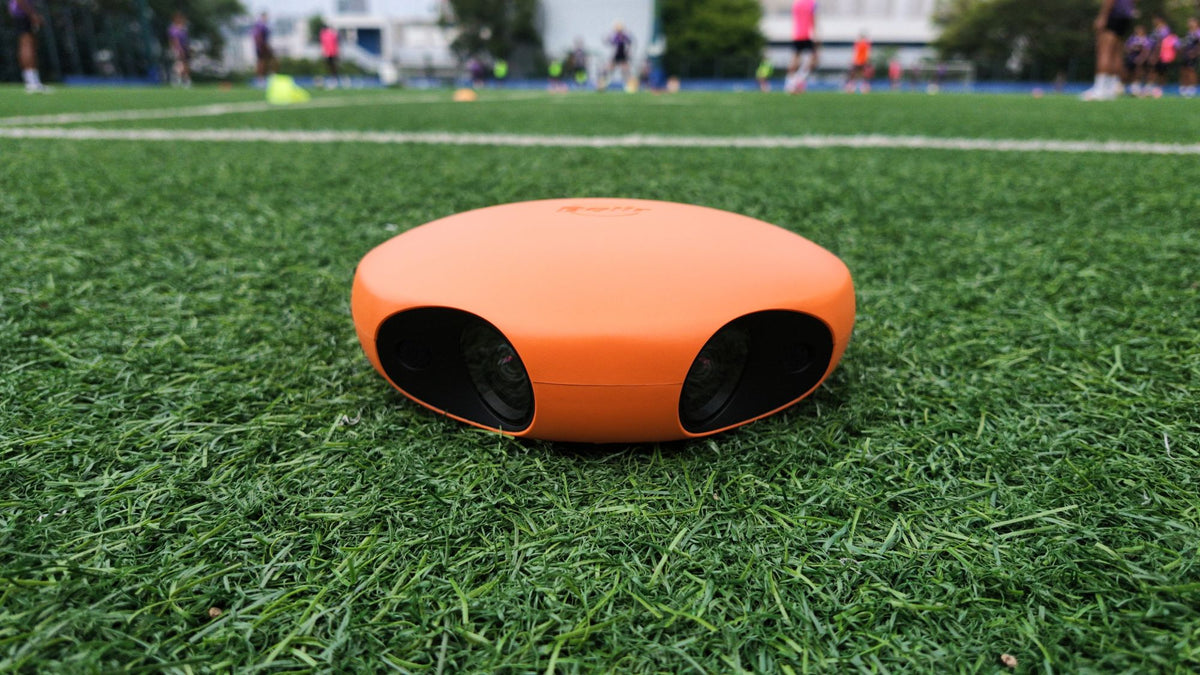
Dual wide-angle lenses, on-device AI tracking and local storage in one camera. The Standard model covers most everyday match-recording needs.
Dual lenses capture the full pitch while AI tracks the action. Switch between the original panoramic footage and the AI-tracked view to follow the game or see the wider tactical picture.


Preview the camera's view in the Ballr App, check the framing, then start recording or livestreaming remotely without walking back to the camera.
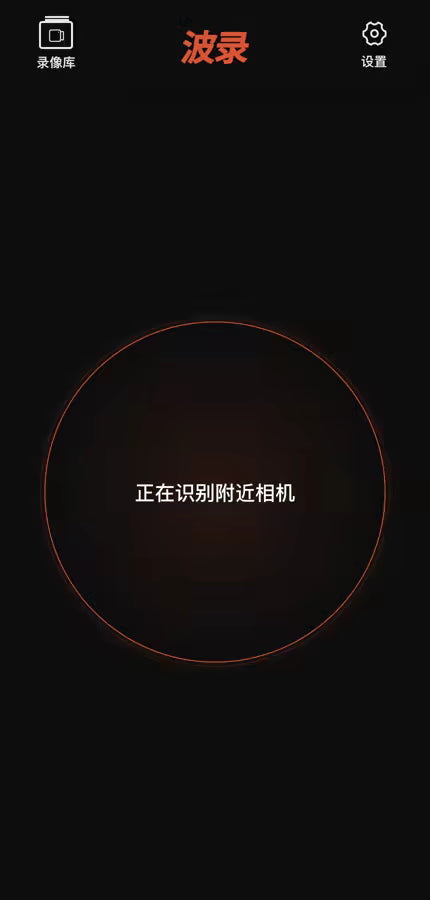
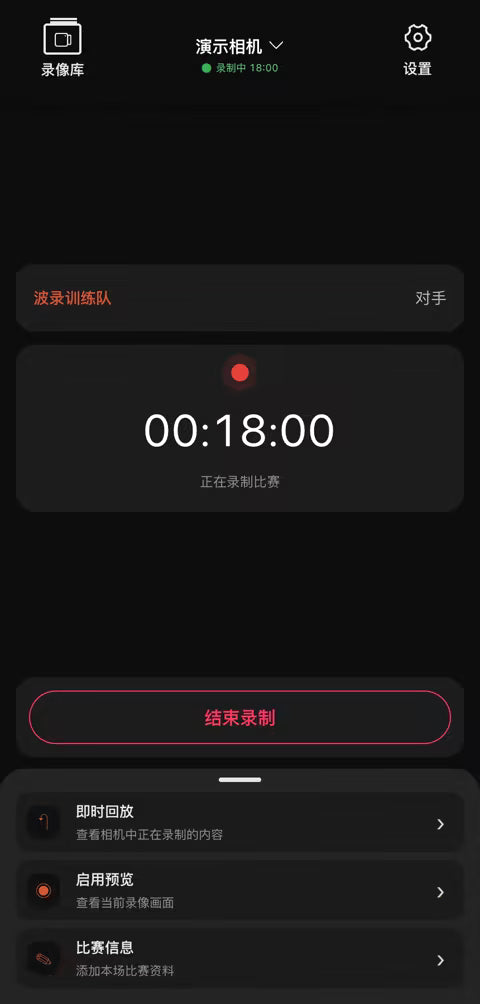
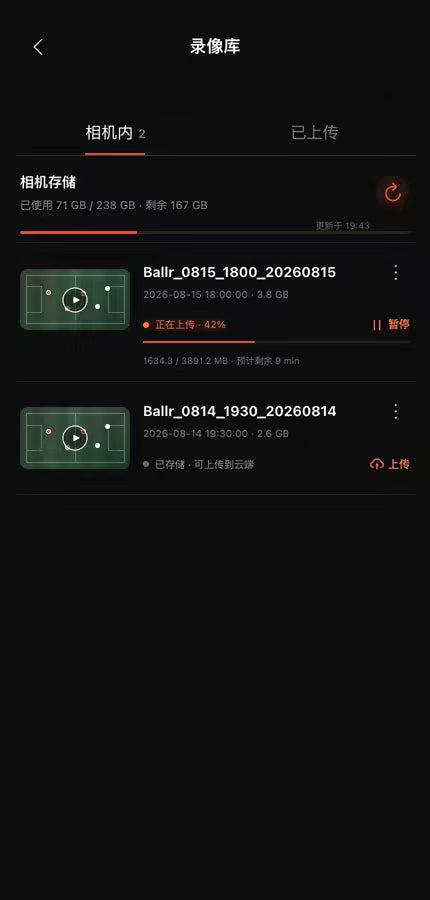
Use the Ballr App to choose a destination and complete setup. The Ballr camera then streams the match directly to Ballr Live, YouTube, Facebook Live, or another RTMP platform.
 Ballr AppSet up your livestream
 Ballr cameraCapture match footage
Explore goals, shots, saves, cards and other events in your full-match recording in Hub2. Find key moments, organise clips and share them with family, players and teammates.
 AI-tracked viewFull panorama
Explore the image quality, AI performance, battery life and connectivity before you buy.
One simple workflow for parents, amateur teams, schools, youth academies and clubs to record full matches.
No need to hold up your phone the whole time, or arrange for a last-minute camera crew.
Record training sessions and official matches in a simple, repeatable way.
Record matches consistently and keep the full footage for post-match review.
Choose your sport mode and let Ballr follow the action. See which modes are available now, coming soon or not yet supported.
Planned features will bring player movement, shot distribution, match momentum and key events into one view, making individual and team performance easier to explore.
Yes. Core recording requires no monthly or annual membership. Livestreaming needs an internet connection; mobile data charges may apply. Cloud storage and additional services follow their respective terms.
Both models offer the same core recording, on-device AI tracking and local storage. The main difference is how they connect to the internet for livestreaming. Wi-Fi Model (Standard): To livestream, connect the camera to Wi-Fi from an external Wi-Fi router or a 4G/5G mobile router. 4G Model: Livestream using the camera's built-in 4G connection, without an external Wi-Fi router. For 4G livestreaming, use an activated Nano-SIM card with an active mobile data plan.
Football and basketball are available now. Rugby and ice hockey are coming soon. Check the support page for the latest sport mode availability.
Setup is straightforward: position the camera, connect it in the Ballr App, choose a sport mode and start recording.
Mainland China camera orders ship free (shipping ¥0) from our Guangzhou office via SF Express. Delivery is usually 1–2 days after dispatch; this is an estimate, not a guarantee. Tripod set: Free shipping to Mainland China and Hong Kong. For other destinations, see the shipping policy. Please review the return and warranty terms before ordering. Notify us within 14 calendar days of delivery to request a return. Reasonable unpacking and basic inspection are allowed. You pay change-of-mind return shipping if disclosed before purchase; Ballr covers necessary costs for faults, wrong items or transit damage. Statutory rights apply.
Update the score, match clock and sponsor banner from your phone. Stream to Ballr Live, YouTube, Facebook Live, TikTok or any RTMP platform, and viewers see it all live.


Add goals, switch halves and run the clock from the App. Viewers see every update in real time.
Upload a corner logo and a bottom banner in Hub, then switch them on or off during the match.
Connect your YouTube channel once, then go live every match without copying stream keys. The replay stays on your channel.
Scoreboard, clock and sponsor overlays are free, including when you stream to third-party RTMP platforms.
Full recordings upload to Hub automatically. The event timeline, auto highlights and the tactics board are all live. Nothing extra to install, it runs in your browser.
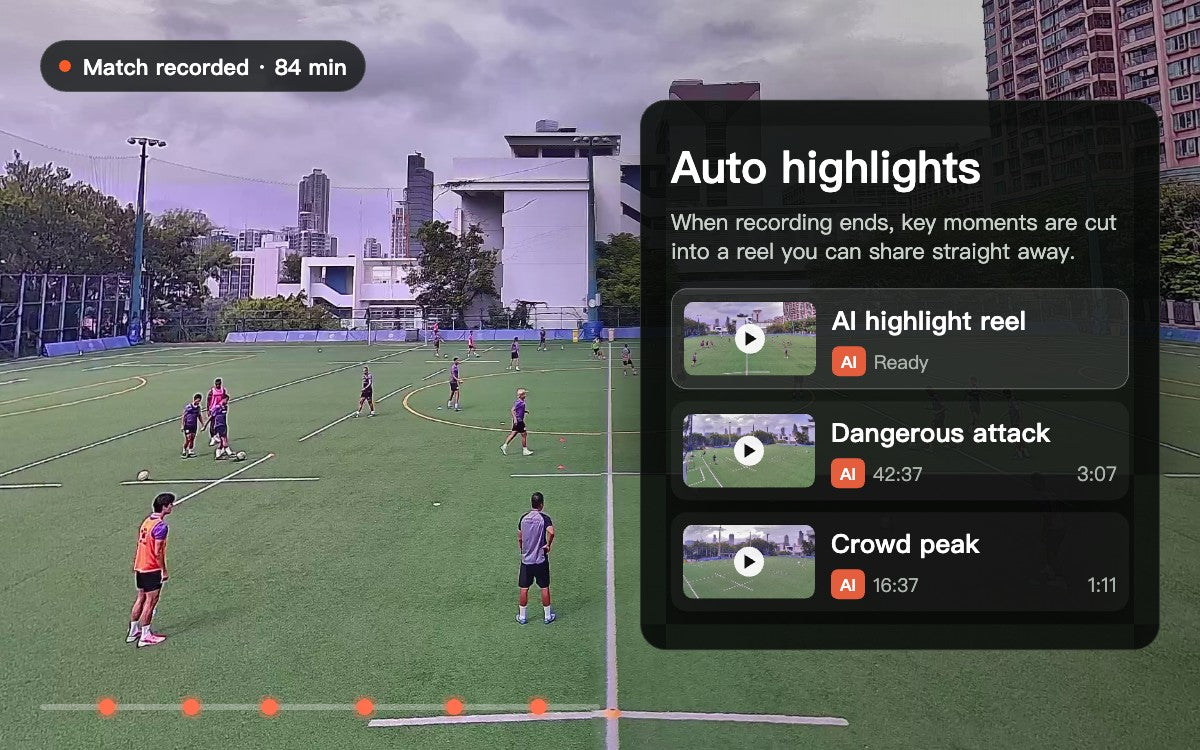
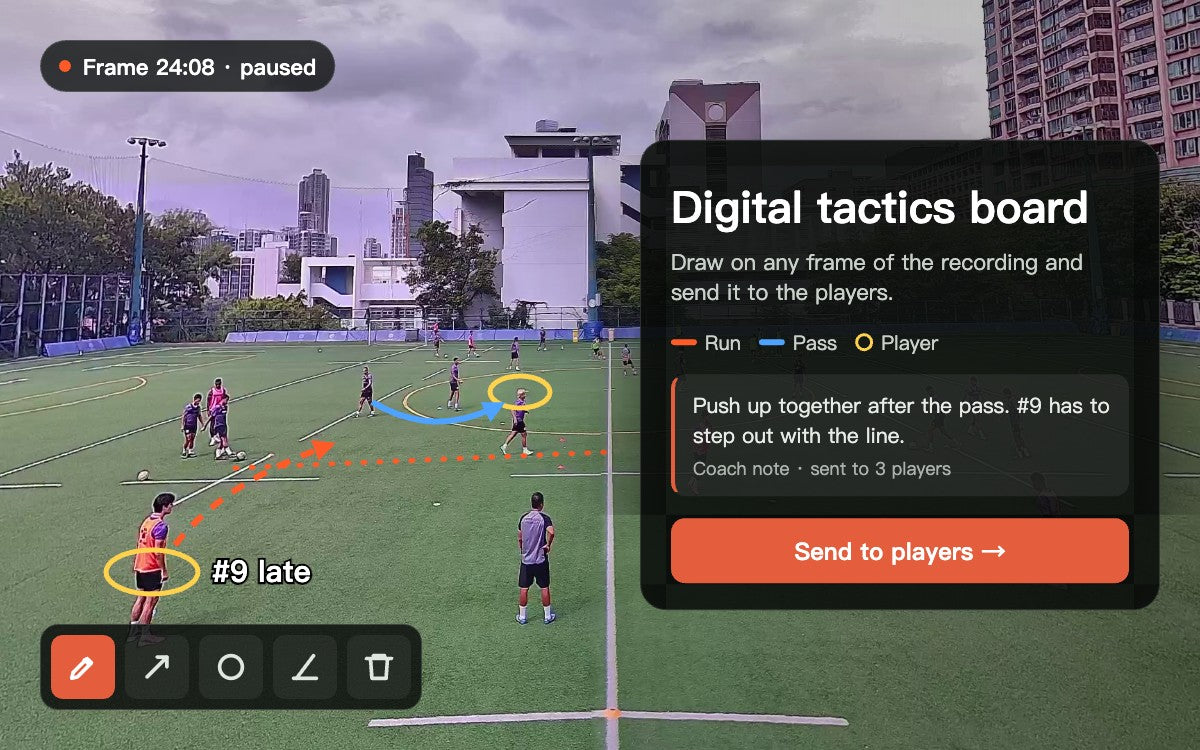
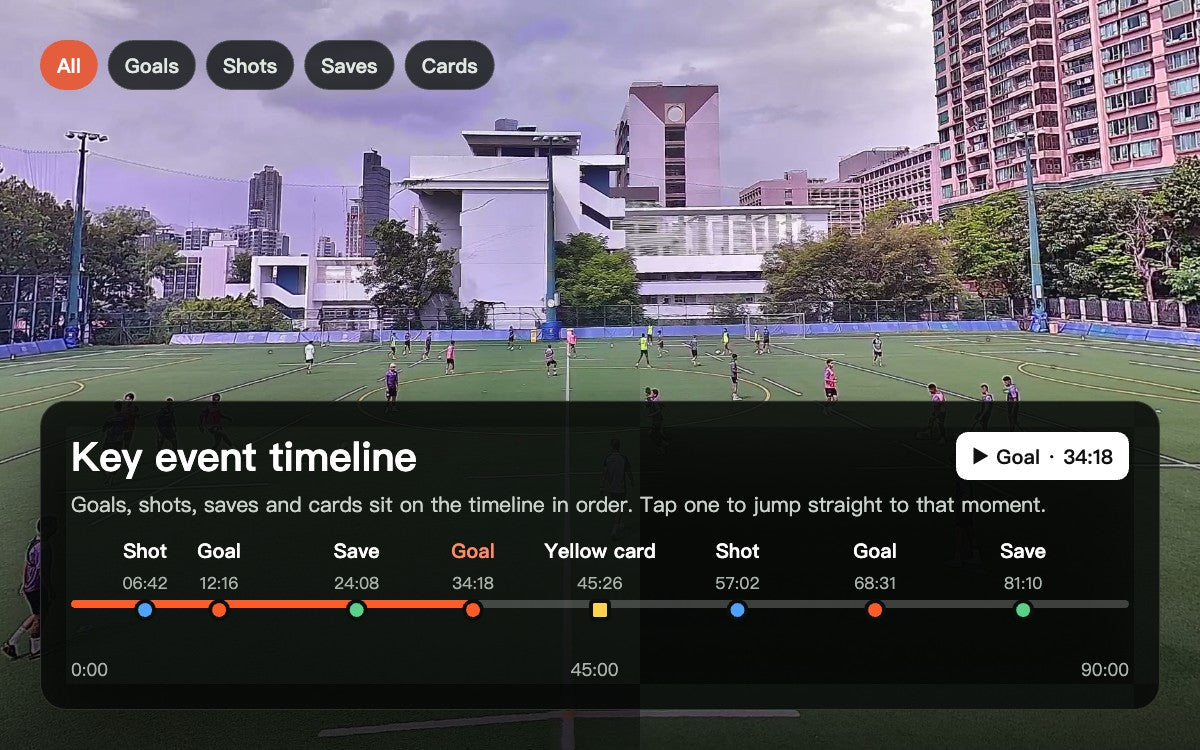
The status of every camera, app and Hub feature in one place. Available now means you can use it today. Coming soon is in development.
Set it up and it records, with AI following play. No camera operator needed.
CameraSwitch between the 180° panorama and the AI follow view at any time.
Camera / HubCheck framing, start recording or go live from the app, without walking back to the camera.
AppTag a moment with one tap while recording and replay it straight away.
AppBallr Live, YouTube, Facebook Live, TikTok and other RTMP platforms.
App / CameraAdd goals, switch halves and run the clock from the app. Viewers see it in real time.
App / LivePut your team logo and a sponsor banner on the stream, and switch them on or off during the match.
Hub / LiveConnect your YouTube channel once, then go live every match. The replay stays on your channel.
App / LiveGoals, shots, saves and cards marked in order. Tap to jump there.
HubA highlight reel is generated once the recording is processed, ready to share.
HubDraw lines, circle players and mark runs for post-match review.
HubCut clips and send a link to family, players and teammates.
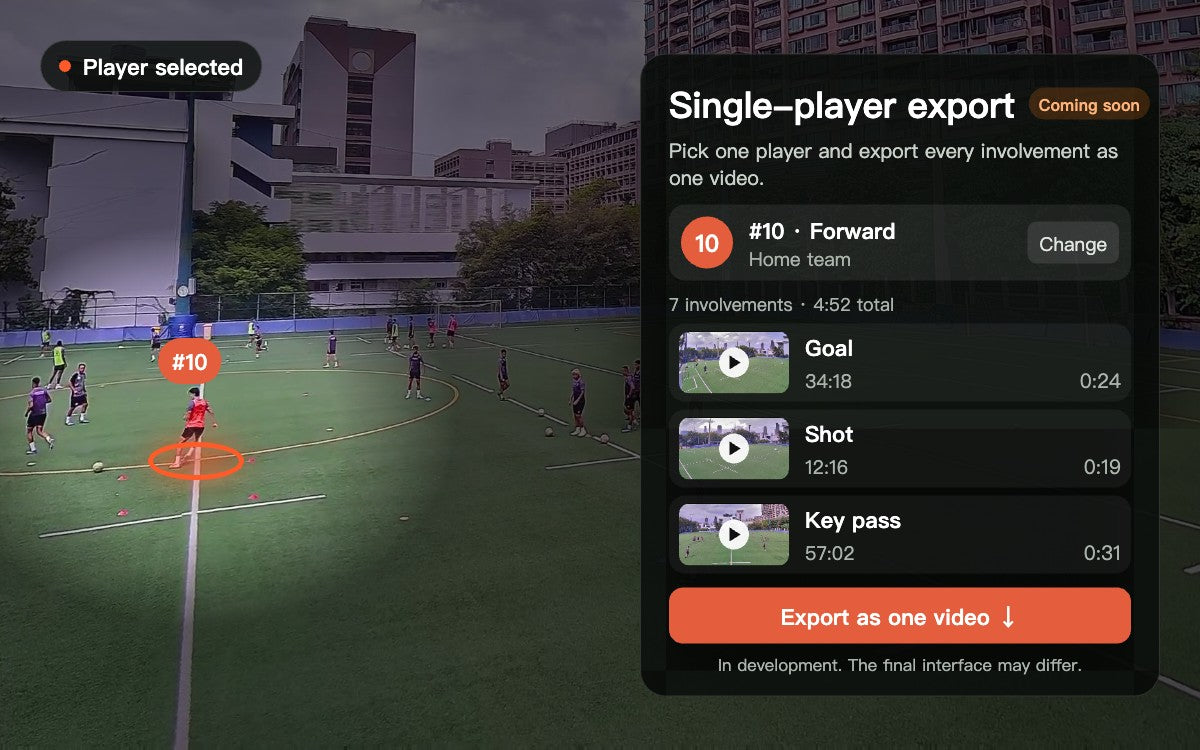
HubPick a player and export their involvements from the match as one video.
HubSquad list, numbers and player pages, with clips filed to each player.
HubFull-match movement heatmap showing range and coverage.
HubShot locations and outcomes. Tap one to jump to that attack.
HubHow the balance of attack and defence shifts over time.
HubMovement, shots and events combined into one shareable post-match report.
HubFeatures ship every week. The order and scope of features in development may change. This page and the support site carry the latest status. See each feature in detail →
Full-match auto recording, panorama and AI tracking views, phone preview and remote control, tagging and instant replay, multi-platform livestreaming, the live scoreboard and clock, sponsor overlays, one-tap YouTube livestreaming, the key event timeline, auto highlights, the digital tactics board, and clip editing with share links are all available now. Single-player video export, player profiles and squads, player heatmaps, the shot map, match momentum and the full-match analysis report are in development and coming soon. See Features and release status on the homepage for the full list. Features ship weekly, and the order and scope of items in development may change.
Most AI sports cameras add a yearly plan on top of the hardware. Ballr needs no subscription for core recording and viewing, so there is no recording subscription to renew. Keep cloud recordings indefinitely through free retention renewals.
Ballr cloud service is free, with no cloud-traffic or storage-space limits. Keep recordings indefinitely at no storage charge by renewing them when prompted in Ballr Hub. New recordings have a 30-day retention period; during the final 7 days, a club or team administrator can click to extend it by another 30 days, repeatedly and free of charge. Renew before expiry; this is not automatic permanent retention without action.
Skip these and every core feature still works. Your recordings always stay on the camera’s 128GB storage.
Ballr price is the current Standard (Wi-Fi) price for your region. The subscription camera is estimated from comparable hardware at about US$1,299 plus the yearly fee you choose, converted at the store exchange rate. For reference only; check each vendor for current terms. Optional services such as Ballr Live are not included.
For post-match review we rely on the panorama more than the ball-tracking view. Who did not track back after we lost the ball is often out of frame in the follow shot, but it is all there in the panorama.
There is no time for a full analysis after every match. I usually pick two or three clips and show them to the players before the next session, like whether they scanned before receiving in midfield. With the footage, those conversations are much easier.
I used to film my kid's matches on my phone. My arm ached and I was staring at a screen instead of watching the game. Now the camera sits on its tripod and I can just stand on the sideline and watch.
I only wanted to keep a few goal clips. Instead my kid opens it at home and rewinds to study even the moments without the ball. I had not expected that before buying.
Leave your email for real match samples, new feature releases and new sport support. No spam, unsubscribe any time.


